
Create a ZIP File using Python

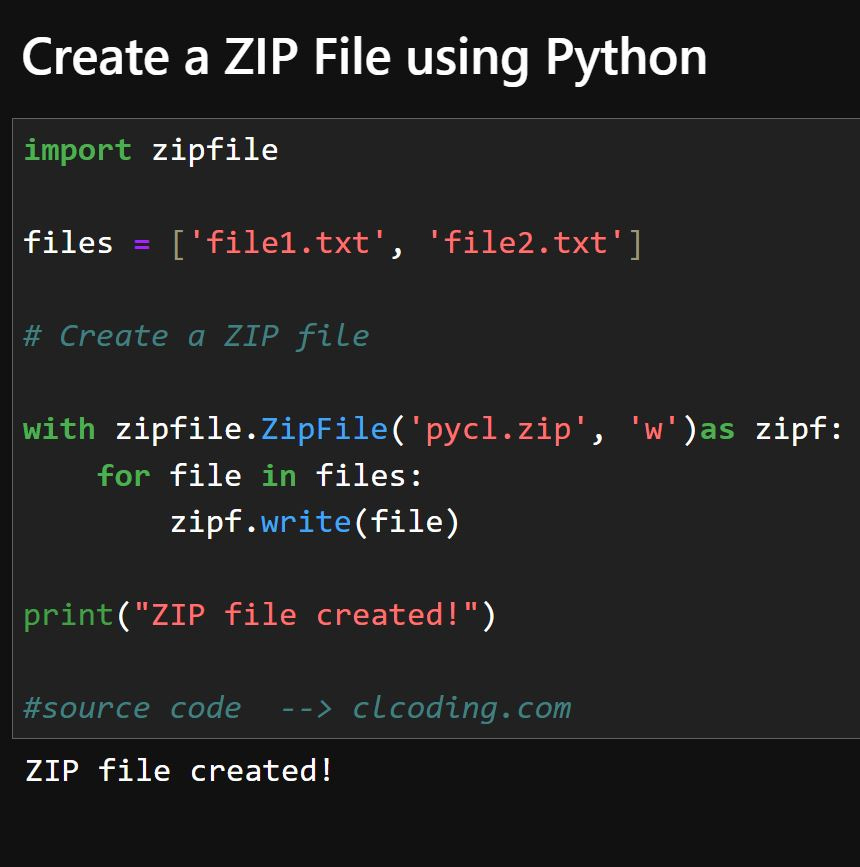
Code Explanation:
import zipfile
This imports the built-in
zipfilemodule, which allows us to create, read, write, and manipulate ZIP files.
files = ['file1.txt', 'file2.txt']
This is a list containing the names of files (
file1.txt,file2.txt) that we want to include in the ZIP archive.
# Create a ZIP file with zipfile.ZipFile('pycl.zip', 'w') as zipf:
zipfile.ZipFile('pycl.zip', 'w'): This creates a new ZIP file namedpycl.zipin write mode ('w').The
withstatement ensures that the ZIP file is properly closed after execution.
for file in files: zipf.write(file)
This loops through the
fileslist and adds each file to the ZIP archive usingzipf.write(file).If
file1.txtandfile2.txtexist in the current directory, they will be added topycl.zip.
print("ZIP file created!")
This prints a confirmation message after successfully creating the ZIP file.
What This Code Does:
✅ Creates a ZIP file named pycl.zip.
✅ Adds file1.txt and file2.txt to the ZIP file.
✅ Ensures the ZIP file is properly closed after writing.
Example Output:
ZIP file created!